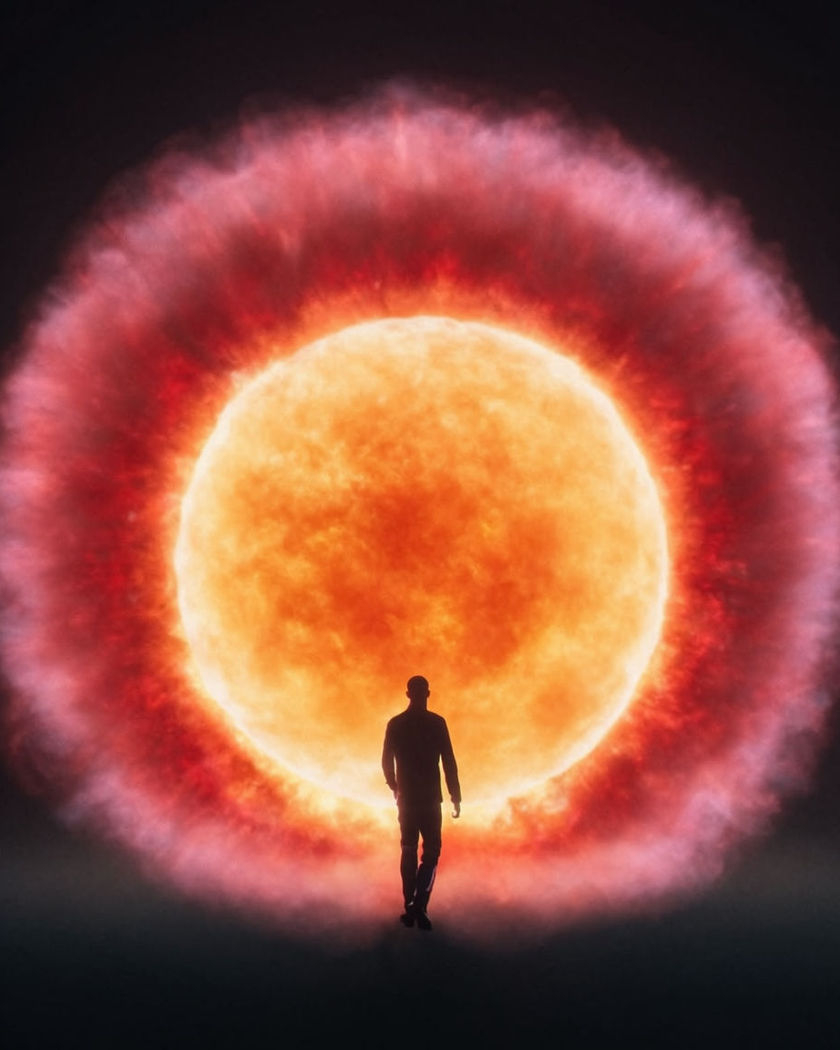
AI massive explosion effect

Massive explosion shots generated with the blast wave inside the frame: a fireball erupts behind a subject who is caught in the shockwave, dust and debris thrown outward in one continuous blast.

A silhouetted figure walking away from a massive fireball and shockwave erupting behind them

Massive explosion effect examples

Warehouse wide fireball

Use this prompt

A wide warehouse exterior erupts into a massive fireball as a figure walks clear. a wide shot of an industrial warehouse exterior at dusk, a fictional adult walking steadily away from the building as it erupts into a massive fireball behind them, flame and thick black smoke billowing upward and outward, dust thrown across the foreground by the shockwave

Open lot shockwave ring

Use this prompt

A wide open lot shows the visible shockwave ring rippling out from a central blast. a wide shot of an open gravel lot, a massive explosion erupting at its centre and sending a visible circular shockwave ring rippling outward across the ground, dust and loose debris scattering in every direction, harsh orange flash light against a darkening sky

Slow motion debris field

Use this prompt

Debris and dust hang in slow motion around a still figure after the blast. a slow motion shot of a fictional adult standing amid slowly falling debris and drifting dust after a massive explosion, chunks of rubble and sparks suspended mid air around them, warm orange firelight from the blast glow behind, dramatic gritty texture

Aftermath, smoke settling

Use this prompt

A figure stands still as thick smoke drifts and slowly clears after the blast. a fictional adult standing motionless amid thick drifting smoke slowly clearing after a massive explosion, embers glowing faintly on the ground around them, muted orange and grey tones, quiet heavy aftermath mood, slow settling motion

Walk away, fireball behind

Use this prompt

A figure walks calmly forward as a massive fireball erupts and rises behind them. a fictional adult walking steadily forward toward camera along a cracked road, not looking back, as a massive orange fireball erupts and billows upward behind them filling the background with rolling flame and black smoke, dust kicked up around their feet from the shockwave, dramatic backlight

Dive for cover, blast flash

Use this prompt

A figure dives to the ground as a bright flash and fireball erupt behind. a fictional adult diving forward onto the ground as a bright orange explosion flash erupts behind them, a wall of flame and smoke rolling outward, arms shielding their head, dust and small debris scattering across the ground around their landing, intense dramatic lighting

City block aftermath

Use this prompt

A wide city block shot shows thick smoke slowly clearing after the blast. a wide shot of a city block shrouded in thick drifting smoke slowly clearing after a massive explosion, glowing embers scattered across the pavement, muted orange and grey tones throughout, heavy quiet aftermath mood, slow settling camera drift

Shockwave hits, clothing ripples

Use this prompt

A visible shockwave ring passes through frame, rippling clothing and dust. a fictional adult standing in an open lot, a visible circular shockwave ring rippling outward from an explosion off frame and passing through them, their clothing and hair snapping backward for an instant as loose dust and debris scatter outward, harsh orange flash light

Slow motion debris wide

Use this prompt

A wide slow motion shot suspends rubble and sparks over a cracked street. a wide slow motion shot over a cracked street littered with debris after a massive explosion, chunks of rubble, sparks, and drifting dust hanging suspended in the air, warm orange firelight glowing from the blast site in the background, dramatic gritty atmosphere

Silhouette against the blast glow

Use this prompt

A silhouette stands framed against the full glow of a rising fireball. a silhouette of a fictional adult standing perfectly still, framed against the full orange and yellow glow of a massive fireball rising and billowing into the sky behind them, thick black smoke curling upward, powerful graphic composition, dramatic rim light

Generate your own massive explosion effect

Pick a starting point, edit anything you like, then generate it in Morphic.

Generate

Simple pricing

Get started for free today, with the option to upgrade or cancel anytime.

Basic

$19/ month
billed as $0 per year

2400 monthly credits

1 user only

All models

Workflows

Standard

$24/ month
billed as $0 per year

3625 monthly credits

1 user only

All models

Workflows

Pro

$45/ month
billed as $0 per year

6350 shared monthly credits

1 user

+ up to 4 more at extra cost

All models

Workflows

Max

$170/ month
billed as $0 per year

24650 shared monthly credits

1 user

+ up to 9 more at extra cost

All models

Workflows

Enterprise

For higher limits

Custom

pricing and billing terms

High-volume credits
Custom seat limits
All models
Workflows
Pricing Gradient

Free

For playing around

$0

forever free

Up to 20 credits
1 user only
Limited models
Workflows

FAQs

Where can I make massive explosion effect videos with AI?
You can create massive explosion videos directly in your browser on Morphic. Describe the blast, the setting, and what the subject does, and Morphic generates the clip with the fireball and shockwave built into the motion. No pyrotechnics or compositing needed.
What kinds of massive explosion shots work best with AI video?
A clear subject silhouetted or lit against the blast reads best, since the contrast sells the scale. A walk-away, a shockwave ring, or a slow motion debris field all hold cleanly, and naming the light source keeps the flame and smoke consistent.
How do I write a good prompt for a massive explosion effect video?
Name the setting, where the explosion originates, and the subjects action through it. Describe the fireball colour, the shockwave, and any debris separately. The clearer the sequence, the more convincing the blast timing Morphic returns.
Can I add a massive explosion to a photo I already have?
Yes. This effect uses an image to video route, so upload a still of the scene or subject and describe how the explosion should erupt behind or around them, and Morphic generates the motion from your image.
Do I need video editing experience to make a massive explosion effect video?
No. Morphic runs in your browser and you direct it with plain-language prompts. If you can describe the blast and the setting, you can produce the video. The prompts on this page are written so anyone can paste and run them.
What can I use a massive explosion effect video for?
It works well as an action-styled creative reel, a dramatic trailer beat, or a striking social post. Generate the shot, lay music under it on the timeline, and export from the same workspace.