Image generation
Coming soon

Krea 3

by Krea AI

Krea's fast image editing model.
Combine up to 4 images in one edit.
Krea 3

Key features

Technical specifications

Up to 4

Images per edit, named by number

Native 2K

1080p or 1440p on Morphic

Auto + 10

From 9:16 to 21:9, or match the source

Supported

Generates without reference images

Use cases
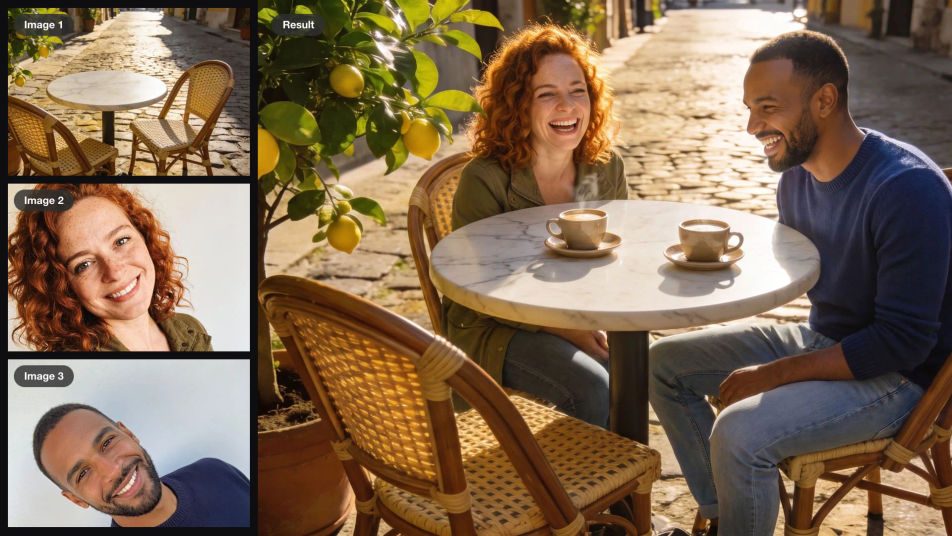
A cafe terrace and two selfies as inputs, combined into one photo of the two people laughing over coffee at the table

Group photos from selfies

Put two people who were never in the same place at one cafe table, faces and clothes carried over and the light matched.
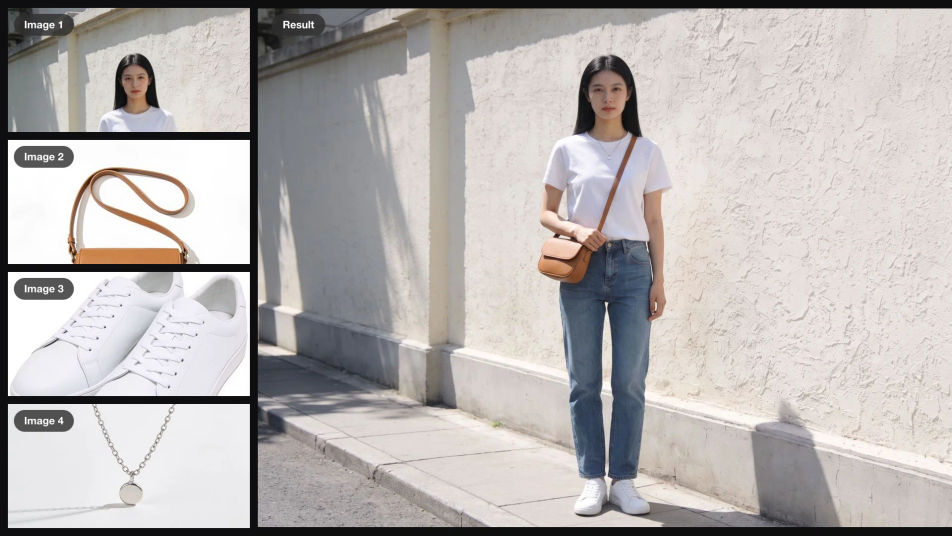
A woman on a sidewalk and three product photos as inputs, combined into one photo of her wearing the tan bag, white sneakers and silver necklace

An outfit from product shots

Style a model with a bag, sneakers and a necklace from three catalog photos, while her face, pose and the street stay the same.
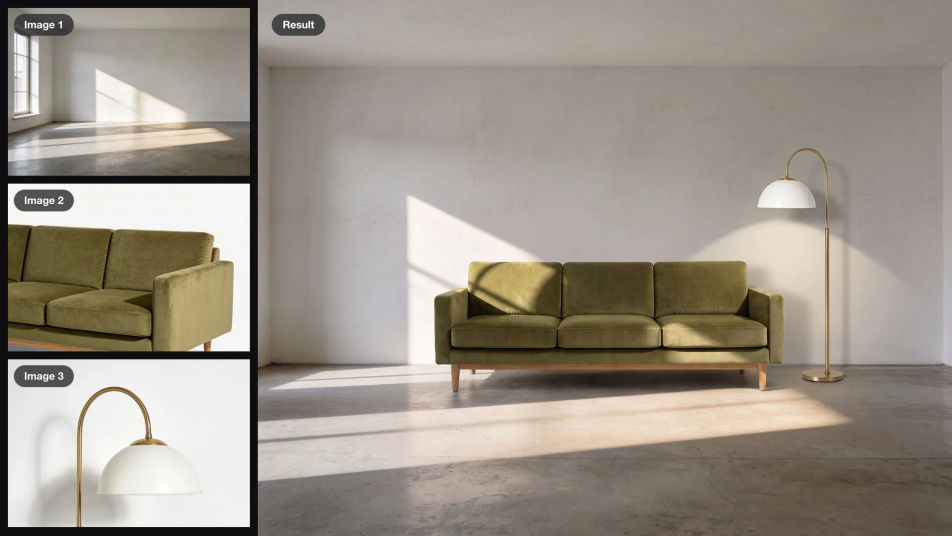
An empty sunlit room, an olive velvet sofa and a brass floor lamp as inputs, combined into one photo of the furnished room

Furniture in an empty room

Stage a bare room with a sofa and lamp from product photos. The window, the concrete floor and the late sun stay where they were.
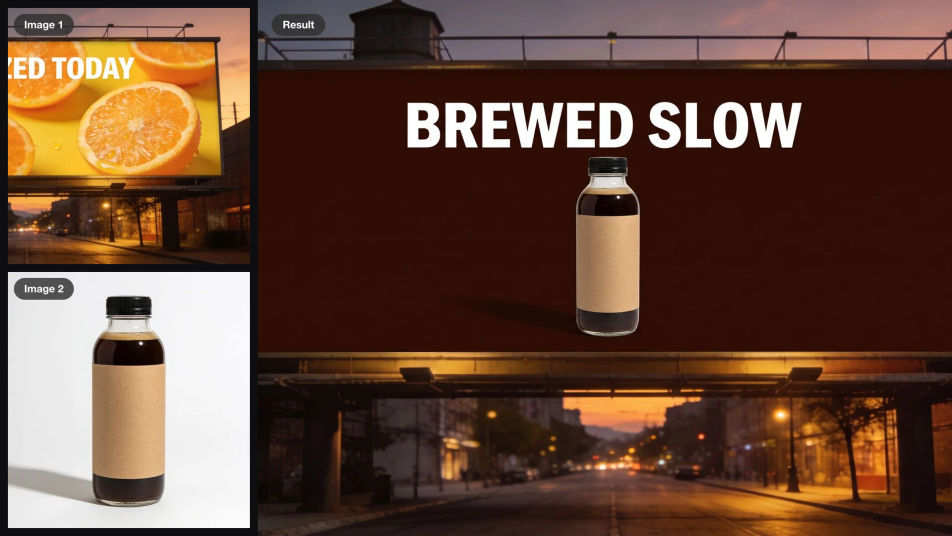
A rooftop billboard with an orange juice ad and a cold brew bottle as inputs, combined into the same billboard advertising the cold brew with the headline BREWED SLOW

A billboard for a new brand

Swap the ad on a billboard for your own product and headline. The building, the street and the dusk sky come through untouched.
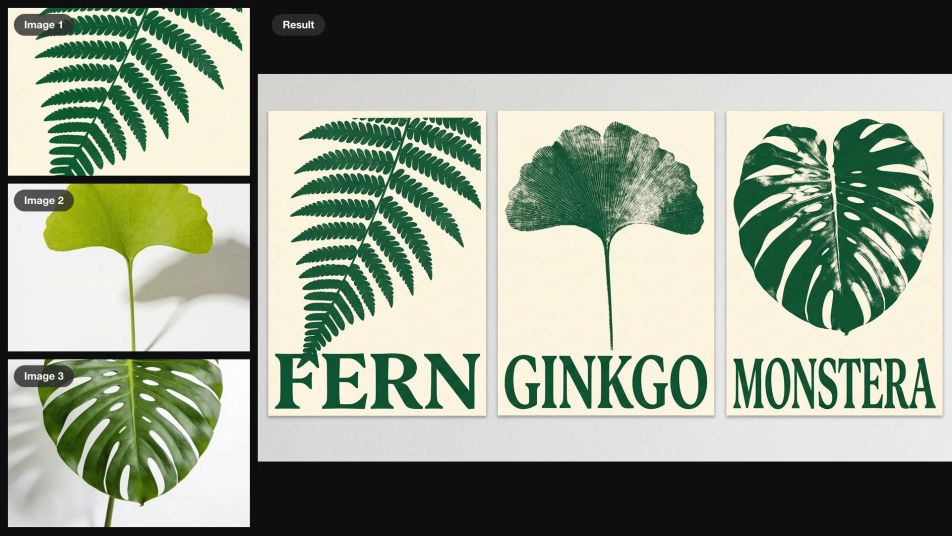
A botanical poster titled FERN and two leaf photos as inputs, turned into three matching posters titled FERN, GINKGO and MONSTERA

One poster, three editions

Extend a screen-printed poster into three editions with new subjects, the print style, colors and type held across the set.

A square post reading APRIL over strawberries and a photo of peaches as inputs, turned into the same post reading AUGUST over the peaches

Next month's social post

Update a monthly social post with a new photo and a new month while the layout, the type and the small print stay put.

Prompt examples
Combine

Combine

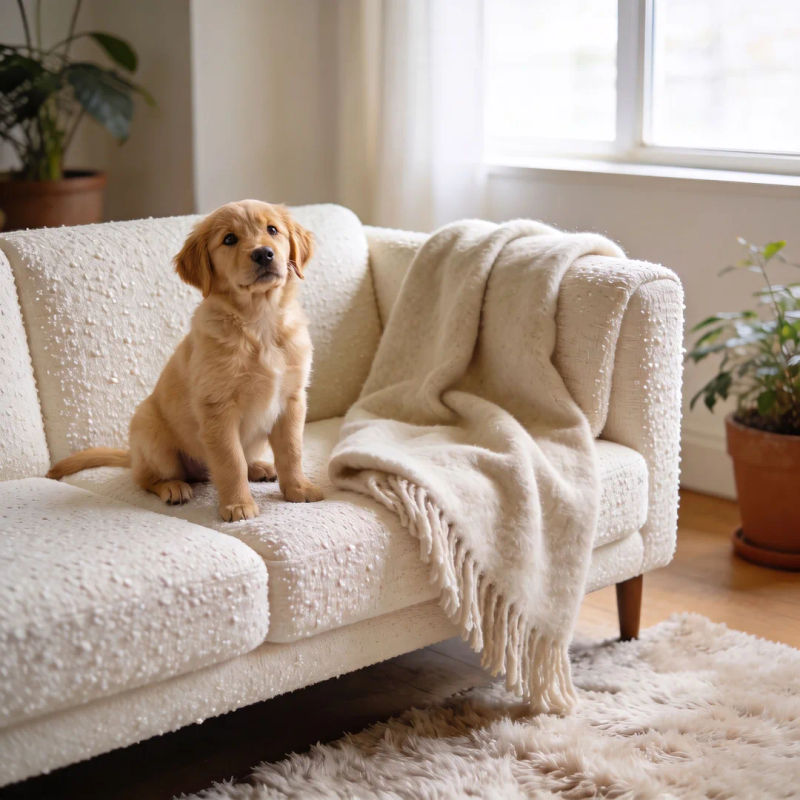
Put the puppy from image 2 on the sofa in image 1

Edit prompt
Place

Place

Add the vase from image 2 to the shelf, same light

Edit prompt
Swap

Swap

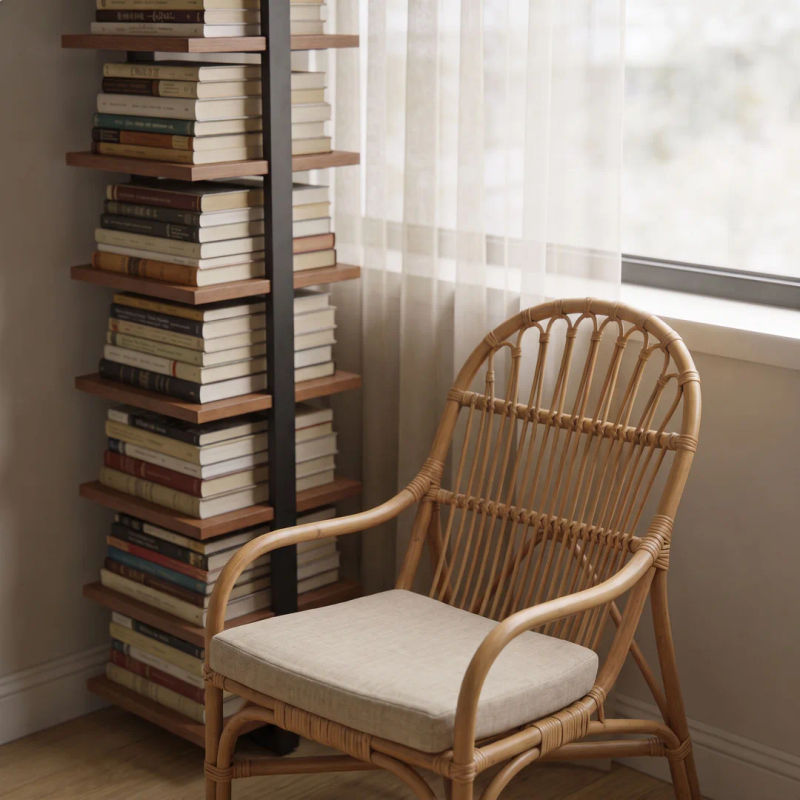
Swap the armchair for the one in image 2, keep the room

Edit prompt
Re-skin

Re-skin

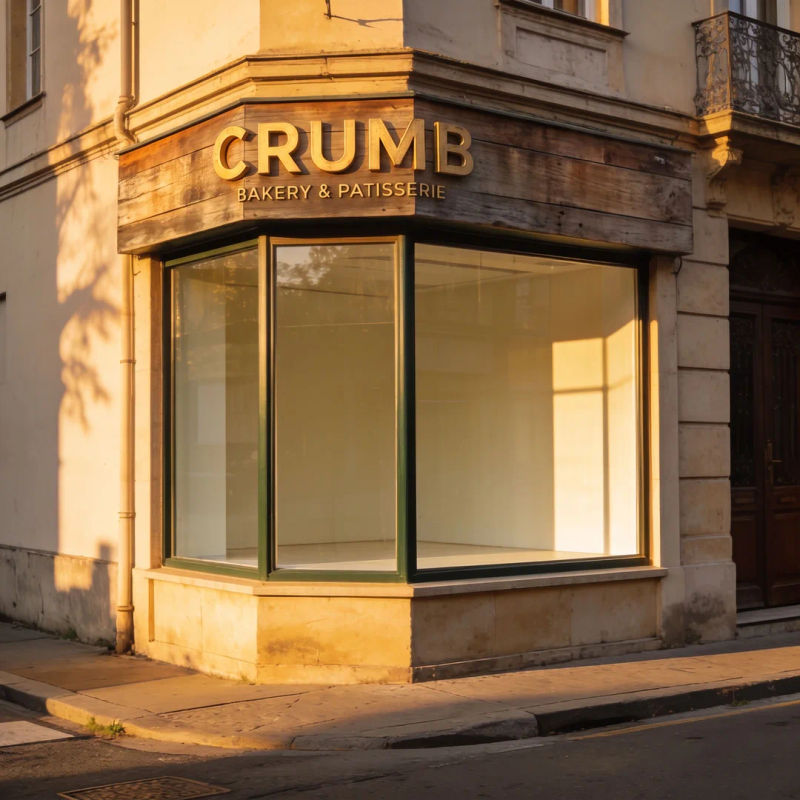
Turn the sign into one for a bakery called CRUMB

Edit prompt
Template

Template

Reuse this layout for a jazz night on Friday

Edit prompt
Series

Series

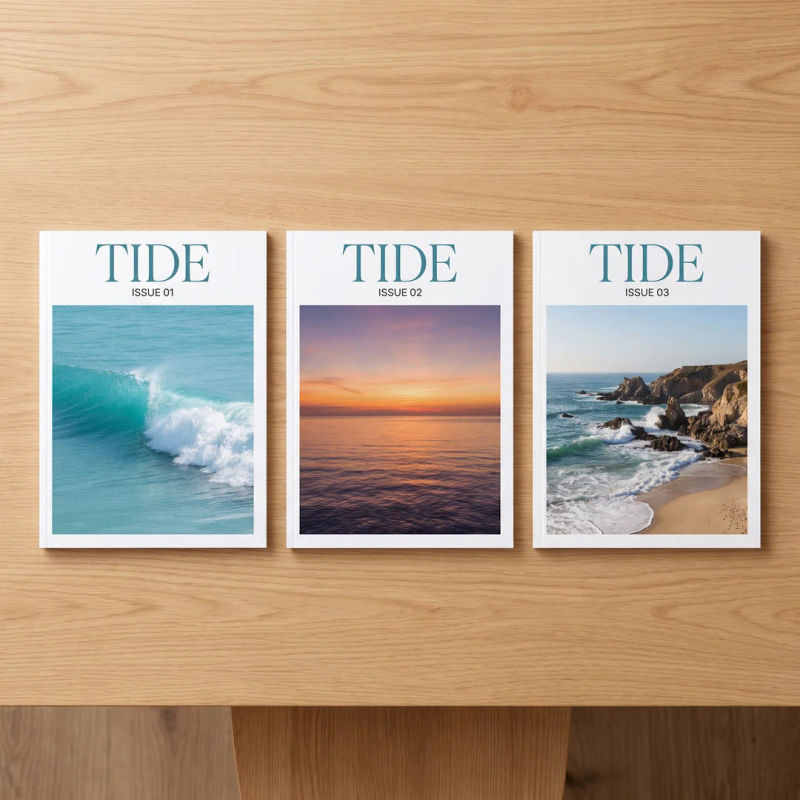
Show this cover with two follow-up issues, side by side

Edit prompt

Overview

Krea 3 is Krea's fast image editing model and the editing counterpart to Krea 2. It takes a prompt and up to 4 reference images and returns one edit: people and products combined from separate photos, one area changed while the rest holds, or a template reused for a new brand. It also generates from a prompt alone, at native 2K.

What Krea 3 does differently

Krea 3 keeps your photo. Krea 2 makes a new image in the look of its references; Krea 3 edits the image you give it and pulls people, products and styles in from the others. That makes everyday production work practical: a product placed in a room, an outfit styled from catalog shots, or next month's post from this month's.

Krea 3 on Morphic

Krea 3 is coming to Morphic soon. Until then, Nano Banana Pro and GPT Image 2.5 are live for editing, and Krea 2 for generation, on the same Canvas. The examples on this page were made with Nano Banana Pro. For prompt structure, see the Krea 3 editing guide, copy an edit from the Krea 3 prompt library, or start in the Krea 3 AI image editor.

Simple pricing

Get started for free today, with the option to upgrade or cancel anytime.

Basic

$19/ month
billed as $0 per year

2400 monthly credits

1 user only

All models

Workflows

Standard

$24/ month
billed as $0 per year

3625 monthly credits

1 user only

All models

Workflows

Pro

$45/ month
billed as $0 per year

6350 shared monthly credits

1 user

+ up to 4 more at extra cost

All models

Workflows

Max

$170/ month
billed as $0 per year

24650 shared monthly credits

1 user

+ up to 9 more at extra cost

All models

Workflows

Enterprise

For higher limits

Custom

pricing and billing terms

High-volume credits
Custom seat limits
All models
Workflows
Pricing Gradient

Free

For playing around

$0

forever free

Up to 20 credits
1 user only
Limited models
Workflows

FAQs

What is Krea 3?
Krea 3 is Krea's image editing model. You give it a prompt and up to 4 reference images, and it returns one edited image: people combined from separate photos, products placed into a scene, one area changed while the rest stays, or a template reused for something new. It can also make an image from a prompt alone.
When is Krea 3 coming to Morphic?
Krea 3 is coming soon. It will appear in the image model list on Morphic once Krea opens it to the public. Until then, Nano Banana Pro and GPT Image 2.5 are live for editing, and Krea 2 for generation.
How is Krea 3 different from Krea 2?
Krea 2 makes new images in the look of your references: it carries over their palette, texture and lighting, but not their subject or layout, and it cannot edit an existing image. Krea 3 is an editor. It keeps your photo and changes what you ask, and it can place people and products from other images into it.
How many images can Krea 3 combine?
Up to 4 per edit. Refer to each one by its number in the prompt, for example: put the bag from image 2 and the sneakers from image 3 on the woman in image 1. Image 1 is usually the scene or person you are editing.
Can Krea 3 change one part of an image and leave the rest?
Yes. Name the one thing to change, then list what must stay, such as the face, the building and the light. Krea 3 edits that area and keeps the rest of the picture as it was.
Can Krea 3 reuse a design template?
Yes. Give it a poster, story, cover or post as image 1 and a new product or photo as image 2, then say what text changes. It keeps the layout and type style, which makes a monthly post, a new campaign or a matching series quick to produce.
Were the images on this page made with Krea 3?
No. Krea 3 is not on Morphic yet, so each example was made on Morphic with other models: the input images with Seedream 4.5, then edited with Nano Banana Pro using the exact prompt shown. The landscape and portrait stills were made with Krea 2 Large. They show the kinds of edits Krea 3 is built for.
How will I use Krea 3 on Morphic?
Open Copilot or the Canvas, add your images, and pick Krea 3 in the image model list. Write the edit, refer to each image by its number, and choose 1080p or 1440p. You can run the same edit on other image models side by side and keep the best result.